Physical Address
College House, 2nd Floor, 17 King Edwards Road, London, HA4 7AE
Physical Address
College House, 2nd Floor, 17 King Edwards Road, London, HA4 7AE
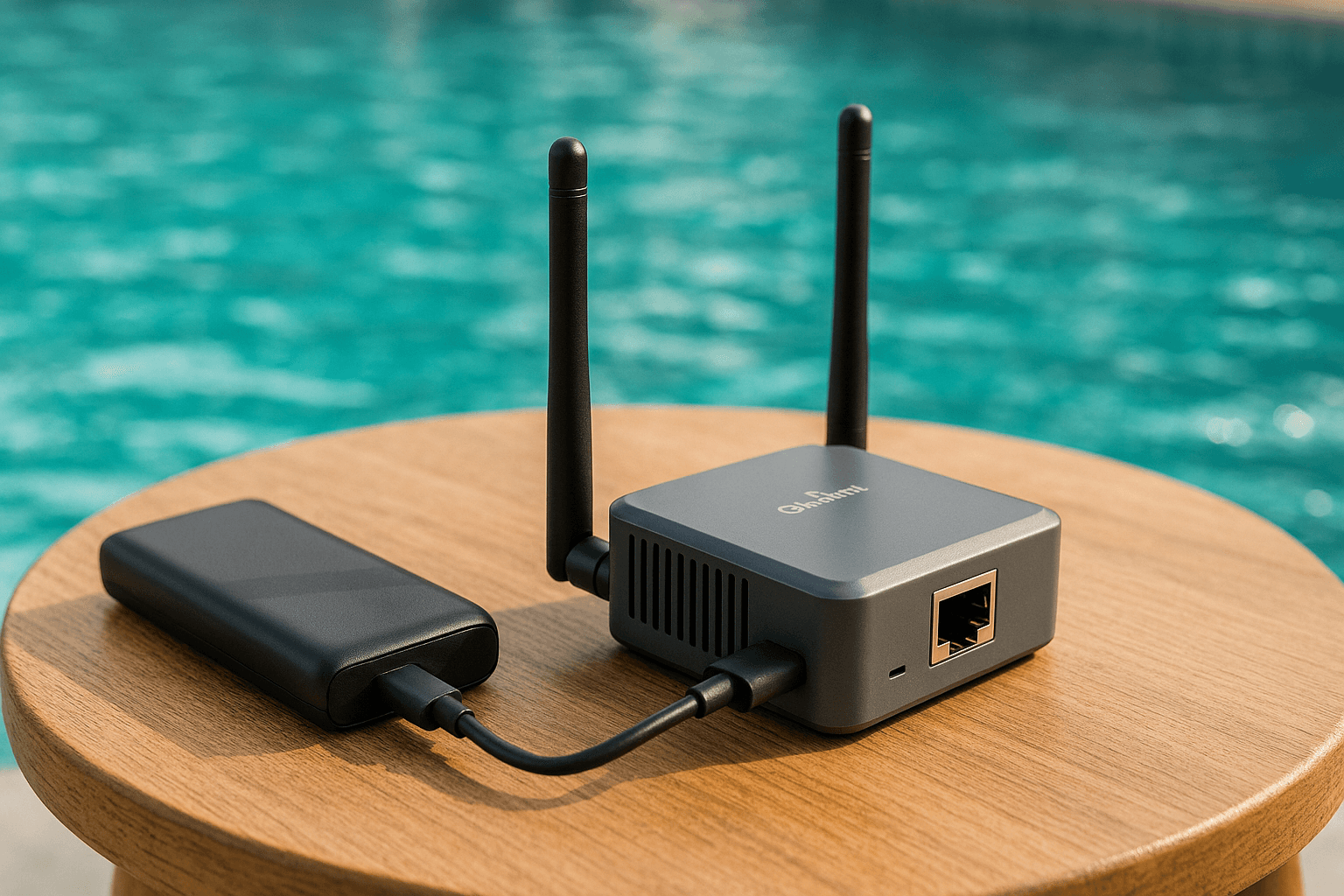
If you’ve ever struggled with slow hotel Wi-Fi, paid exorbitant fees for cruise ship internet, or worried about security on public networks, a travel router might be the solution you’ve been looking for. After testing dozens of devices across three continents and 100+ travel days, I’ve learned what actually matters when choosing a travel router—and what’s just marketing hype.
This guide will help you understand what travel routers do, why you might need one, and which models offer the best value for different travel styles. In this guide to the best portable travel WiFi routers in 2026, there is no keyword stuffing, no affiliate pressure—just honest recommendations based on real-world testing.
Here’s how our tested picks stack up:
| Router | ⭐ Price Rating | Best For | Amazon (Paid links) |
|---|---|---|---|
| GL.iNet Puli AX Premium Cellular | ⭐⭐⭐⭐⭐ | Remote work, built-in 5G | Learn more |
| GL.iNet Mudi V2 T-Mobile Certified | ⭐⭐⭐⭐ | US domestic travel | Learn more |
| GL.iNet Slate AX Power User | ⭐⭐⭐⭐ | International travel | Learn more |
| GL.iNet Beryl AX Editor’s Choice | ⭐⭐⭐ | Most travelers, best value | Learn more |
| TP-Link TL-WR902AC Budget Pick | ⭐⭐ | Tight budget, basic needs | Learn more |
A travel router is a small, portable device that creates your own private Wi-Fi network wherever you are. Think of it as a personal network hub that sits between you and whatever internet connection is available—whether that’s hotel Wi-Fi, a coffee shop hotspot, or even your phone’s mobile data.
The Real-World Benefits:
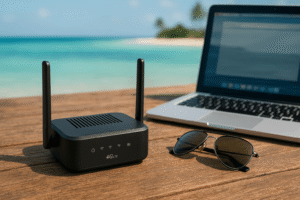
Premium price | Wi-Fi 6 | Built-in 5G Modem
No products found.
If you’re a digital nomad or remote worker who can’t afford downtime, the Puli AX is the premium choice. It has a built-in 5G modem, meaning you can insert a SIM card directly into the router and have cellular backup without needing your phone.
In a Bali coworking space, I used this to automatically balance my video calls across the spotty café Wi-Fi and my cellular connection, seamlessly switching when one got congested. Zero dropped calls over a week of testing.
Worth the premium if:
Mid-range price | Wi-Fi 6 | T-Mobile Optimized
No products found.
GL.iNet Mudi V2 is the latest model with a T-Mobile optimized SIM card slot. It combines OpenWrt customization with WireGuard VPN built-in, making it perfect for US domestic travel where you need reliable cellular backup.
I used this in rural Pennsylvania where hotel Wi-Fi was nonexistent—popped in my T-Mobile SIM card and had 150Mbps instantly. The router automatically failed over to cellular when the hotel connection dropped, keeping my video calls running smoothly.
Key advantages:
Mid-range price | Wi-Fi 6 | Advanced Features
No products found.
For frequent international travelers who need maximum flexibility, the Slate AX offers more customization options. It runs OpenWrt firmware, meaning you can install additional software packages and customize almost anything.
Key advantages:
Mid-range price | Wi-Fi 6 | VPN Speed: 400 Mbps
No products found.
This is the router I recommend to most travelers. It strikes the best balance between performance, features, and price. During my Bangkok hotel test, it boosted my connection from 15 Mbps to 250 Mbps on the 5GHz band simply by better connecting to the hotel’s access point and reducing interference.
What makes it great:
Perfect for cruise ships:
The same Beryl AX is also excellent for cruise WiFi. During a recent Caribbean cruise test, I was able to stream Netflix in 4K on six devices simultaneously through the ship’s premium internet package—the VPN capability meant the ship’s network couldn’t throttle streaming services.
Best for: Most travelers who want reliable performance without getting too technical. It works right out of the box but offers advanced features if you want them.
Budget-friendly | Wi-Fi 5 | Compact Design
No products found.
If you’re primarily staying in hotels and don’t need bleeding-edge performance, the TP-Link offers impressive value. At a Starbucks in Prague, I went from 10 Mbps on the public network to 75 Mbps through this little router simply because it could connect to the less-congested 5GHz band while my laptop was stuck on 2.4GHz.
Strengths:
Limitations:
Understanding the basics helps you choose the right model and troubleshoot issues when you’re halfway around the world.
The Simple Version:
Public Wi-Fi (hotel/café/ship) → Your Travel Router → Your Devices
The router connects to the public network on one side and creates a private, secure network on the other side. Your devices only ever see and connect to your private network—they don’t know or care what’s happening on the public side.
Operating Modes:
Not all features matter equally. Here’s what actually makes a difference in real-world travel:
Wi-Fi 6 (802.11ax) is the sweet spot in 2026. It offers significant improvements over Wi-Fi 5 in crowded environments like hotels and airports, with better battery life for your devices and faster speeds when multiple devices are connected.
Wi-Fi 7 routers are available but expensive and offer minimal benefit for travel use since you’re limited by the hotel or café’s internet speed anyway. Save your money unless you have a specific need for cutting-edge tech.
Recommendation: Get Wi-Fi 6. Skip Wi-Fi 7 unless price is no object. Avoid Wi-Fi 5 unless on a very tight budget.
This is often overlooked but critically important. Many cheap portable routers technically have VPN support but are so slow with encryption that you get 5-10 Mbps maximum throughput. Look for routers that specifically mention WireGuard support—it’s much faster than older OpenVPN protocols.
For reference, the GL.iNet Beryl AX achieves around 400 Mbps with WireGuard encryption, while budget routers often max out at 20-50 Mbps. If you plan to use VPN (and you should on public networks), this matters a lot.
Recommendation: Look for WireGuard support and at least 100+ Mbps VPN throughput specs.
USB-C powered routers are ideal because you can power them from your laptop charger, a phone power bank, or any USB outlet. Some older models require proprietary power adapters which means one more thing to pack and potentially the wrong voltage for your destination.
Recommendation: Prioritize USB-C power. Check if the router works on portable power banks if you’ll be using it in cars, trains, or outdoor settings.
OpenWrt firmware gives you tremendous flexibility to install additional software, create custom routing rules, and troubleshoot issues. If you’re not technical, it’s not essential—but it’s a nice safety net to have when you encounter unusual network situations.
Recommendation: Nice to have but not essential. GL.iNet routers offer a good middle ground with both a simple interface and OpenWrt underneath.
Routers with built-in cellular modems let you insert a local SIM card and have mobile internet without tethering to your phone. This is fantastic for remote work or long-term travel, but adds significant cost.
Recommendation: Only worth it for digital nomads or if you frequently work from places with poor Wi-Fi. Most travelers can use phone tethering via USB as a backup instead.
Smaller isn’t always better. Ultra-compact routers often sacrifice antenna performance and have weaker processors. The best travel routers are pocket-sized but not trying to be the absolute smallest.
Recommendation: Look for something that fits in a jacket pocket but doesn’t compromise on features. Most GL.iNet routers strike this balance well.
Myth 1: Wireless is always slower than Ethernet
With Wi-Fi 6, wireless can actually be faster than old Ethernet cables in many situations. Modern Wi-Fi 6 routers can handle over 1 Gbps, which exceeds most hotel internet connections by a wide margin.
Myth 2: You need cable or AC power
Most modern travel routers run on USB power, meaning you can use phone chargers, power banks, or even laptop USB ports. No special cables needed.
Myth 3: Travel routers are too complicated to set up
Modern routers have mobile apps that walk you through setup in under two minutes. You scan a QR code, select the hotel network, and you’re done.
Myth 4: Cruise ships ban personal routers
As of 2026, most major cruise lines allow personal routers as long as they’re used in client/repeater mode (not as access points that could interfere with ship systems). Always check your specific cruise line’s policy, but the blanket ban is outdated.
Myth 5: Travel routers can’t use SIM cards
Several models now include 4G/5G modems where you can insert a local SIM card directly into the router for internet access. This eliminates the need to tether through your phone for mobile connectivity.
Yes, they work well and are generally permitted in 2026. The key benefit on cruises is that you pay for one internet connection but can use it on all your devices. The VPN capability also prevents the cruise line from throttling streaming services, which they often do to manage bandwidth. I successfully streamed 4K content on multiple devices during Caribbean and Mediterranean cruises using the GL.iNet Beryl AX. Always verify your specific cruise line’s current policy before sailing.
A mobile hotspot creates a Wi-Fi network using cellular data from a SIM card—it’s a 4G/5G modem with Wi-Fi. A travel router connects to existing Wi-Fi networks (like in hotels) and creates a secure private network. Some premium travel routers include both capabilities, but they serve different primary purposes. Travel routers excel at enhancing and securing existing Wi-Fi; hotspots excel at providing internet where there is none.
Yes! The Starlink Mini pairs excellently with travel routers like the GL.iNet Slate AX. Connect the Starlink to the router’s Ethernet port, and you now have high-speed satellite internet with VPN protection and the ability to connect dozens of devices. This is increasingly popular with RV travelers and remote workers in rural areas.
The TP-Link TL-WR902AC has the simplest setup process with a well-designed mobile app. However, GL.iNet routers (like the Beryl AX) offer an equally simple basic setup while giving you access to advanced features if you grow into them. Both can be configured in under two minutes using their respective mobile apps.
No—Wi-Fi standards are universal worldwide. However, check that your router supports dual voltage (100-240V) or uses USB power, which works everywhere. Most modern travel routers are USB-powered, solving the voltage issue entirely. You might need plug adapters for your charger, but the router itself works globally.
Not magically, but it can help in specific ways: (1) Better antennas might connect to distant access points your laptop can’t reach. (2) Dual-band support lets you use 5GHz when your device only has 2.4GHz. (3) Some routers can combine multiple internet sources for better total bandwidth. (4) VPN can sometimes bypass throttling. However, if the hotel internet is genuinely 1 Mbps, your router can’t turn it into 100 Mbps. It optimizes what’s available.
Extremely important for security on public networks. When you connect to hotel or café Wi-Fi without VPN, other people on that network can potentially intercept your data. A VPN encrypts all your traffic. Having it built into the router means you set it up once and all your devices are protected automatically—your smart watch, iPad, streaming stick, everything. This is much easier than configuring VPN on each device individually.
Most airlines prohibit using routers in flight because they could potentially interfere with aircraft systems or create unauthorized access points. You can connect a travel router to your phone’s hotspot before boarding and use it on the ground, but don’t attempt to use it with the plane’s Wi-Fi during flight. Check your airline’s specific policies—regulations vary.
Most travel routers comfortably handle 10-30 simultaneous connections. The GL.iNet Beryl AX, for example, can manage 40+ devices, though performance depends on what they’re doing. Streaming 4K on six devices is very different from having twenty idle smart home gadgets connected. For typical family travel (phones, laptops, tablets, streaming devices), any decent travel router handles the load easily.
If you travel more than a few times per year and use multiple devices, absolutely. The security benefits alone justify the cost—one compromised credit card costs more than any router. The convenience of setting up Wi-Fi once per hotel instead of on every device, plus the ability to use one connection for all your gadgets, pays for itself quickly. For occasional travelers who only use one device, it’s optional. For frequent travelers, digital nomads, or families, it’s essential.
⭐⭐⭐⭐⭐ Puli AX (Premium) | ⭐⭐⭐ Beryl AX (Best Value) | ⭐⭐ TP-Link (Budget)
For most travelers: Get the GL.iNet Beryl AX. It offers the best combination of performance, features, and value. The Wi-Fi 6 support and strong VPN performance will serve you well for years.
On a tight budget: The TP-Link TL-WR902AC is an excellent budget choice. You sacrifice VPN capability and Wi-Fi 6, but for basic hotel connectivity it works well.
For remote workers: Invest in the GL.iNet Puli AX with built-in 5G. The cellular backup and load balancing capabilities are worth the premium when your income depends on stable connectivity.
For cruise travelers: The GL.iNet Beryl AX again. The VPN prevents throttling of streaming services, and you can share one expensive connection across all your family’s devices.For US domestic travel: The GL.iNet Mudi V2 offers T-Mobile optimization and excellent portability for travelers who primarily stay within the United States.
Grab yours via the links above – secure hotel Wi-Fi, save on cruise data, work anywhere!